Optimizely attack: trusted delivery, altered code
Report URI identified altered Optimizely scripts belonging to 178 organisations. Permission to load a supplier's code is not proof of its integrity.
Reported exploitation date:
Web Experimentation customers should obtain their project-specific incident notice. Other owners should review external scripts and change permissions, without assuming their own site was attacked.
What happened?
On 16 November 2026, visitors received malicious JavaScript through Optimizely Web Experimentation, a service for testing website variations. Report URI identified altered project scripts belonging to 178 organisations. That is the researcher’s organisation count, not an independently verified total of compromised websites or affected people.
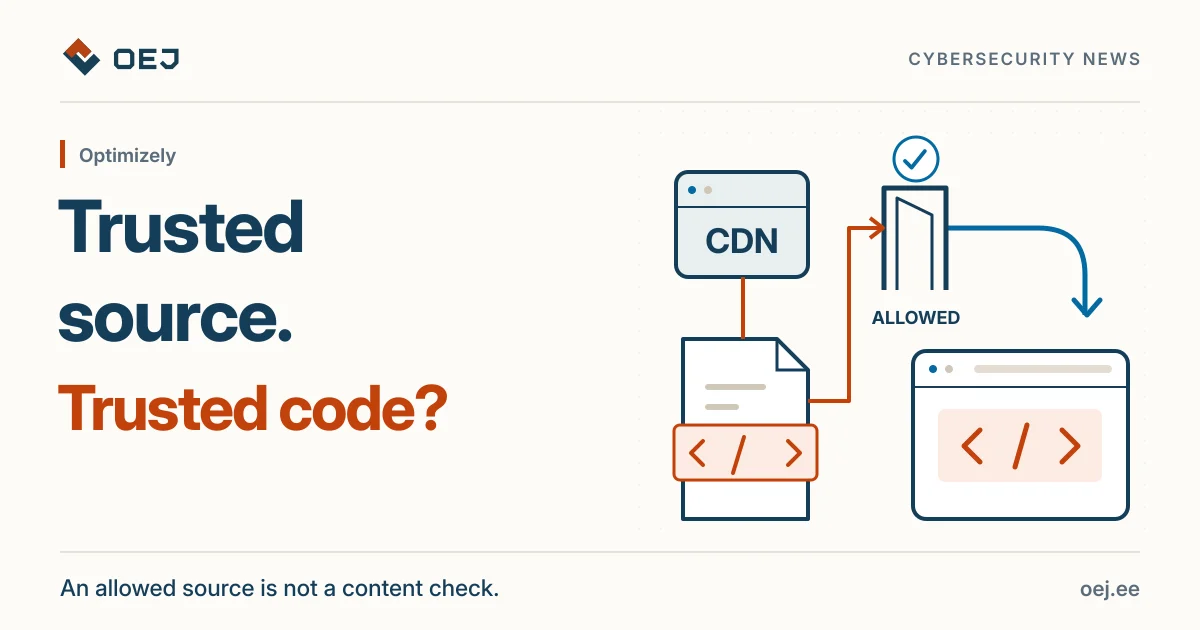
Optimizely’s 18 November explanation identified a flaw in its account-signup flow. An attacker could impersonate targeted customer users and modify their projects’ JavaScript. The legitimate content delivery network, or CDN, then distributed the altered scripts. This was not CDN cache poisoning: the delivery path carried code that had already been changed.
The vendor says it blocked malicious delivery and closed the flaw within three hours of detection on the day the activity began. It says the incident was limited to Web Experimentation. Those are vendor statements, not independent assurances about every visitor.
Is this a notice about your website?
If you use Web Experimentation, obtain the incident notice for your project. An agency may manage that account on your behalf, so ask who received the vendor’s message. Using a different Optimizely product does not by itself put you in the directly affected group.
For other owners, this is a lesson about dependencies, not a finding that their site was attacked. Keeping your own server updated does not automatically verify code a visitor’s browser fetches from another business.
Why an approved domain is not enough
A Content Security Policy, or CSP, can restrict where scripts load from. A domain allowlist still permits malicious code from an already approved CDN. More carefully scoped rules may block some subsequent activity, but permission to load is not a content-integrity check.
Subresource Integrity, or SRI, does something different: it checks a particular resource against an expected hash, a fingerprint of its contents. Dynamically created script elements can use it too. Frequently changing experiment code needs a controlled process for reviewing changes and updating that expected fingerprint. “Dynamic scripts cannot use SRI” is not an accurate explanation.
Four useful actions
- Get a project-specific answer if you use Web Experimentation. Review Optimizely’s notice with your administrator and follow the guidance for your account. A general remediation announcement is not a review of your particular project. A clean result today does not prove yesterday’s code was safe.
- Give every external script a purpose and an owner. Ask the developer to remove unnecessary dependencies and test essential website functions afterwards.
- Review who can publish changes. Check permissions in supplier accounts and tag managers. Restrict them and use multi-factor authentication where available. This is general protection, not a claim that it would have prevented this particular vendor flaw.
- Agree on monitoring and response. Ask the developer how script changes are checked, what CSP and integrity controls fit your site, and who acts on supplier security notices.
A question for your website provider
Does my website use Web Experimentation, and is there a notice covering my project? Who can change external code running on the site, how are changes checked, and who responds to a supplier security alert?
Sources and fixes
Original sources and instructions you can check yourself.
- Original sourceReport URI · original investigation and organisation countblog.report-uri.com · Checked 22 November 2026
- Fix or instructionsOptimizely · incident timeline and 18 November remediation updatestatus.optimizely.com · Checked 22 November 2026
- ContextMDN · script-element integrity verificationdeveloper.mozilla.org · Checked 22 November 2026
- ContextW3C · Subresource Integrity specificationwww.w3.org · Checked 22 November 2026